GitHub Copilot vs Codex vs Claude Code: What Is the Difference?
Compare GitHub Copilot, Codex, and Claude Code to understand their workflows, strengths, and which AI coding tool fits your needs.

A list of premium posts for academy members containing hands-on tutorials, best practices, career advices and learning paths.
Compare GitHub Copilot, Codex, and Claude Code to understand their workflows, strengths, and which AI coding tool fits your needs.
Learn how to use GitHub Copilot in Visual Studio Code, connect it to a local project, start a focused coding task, and review AI-generated changes.
Learn what GitHub Copilot is, how it works, what it can help you with, and what beginners should watch out for when using AI coding assistants.
Learn how to configure dbt grants so data engineers can query all models, data analysts can query Gold models, and data scientists can query one specific model.
Learn how to run multiple LangChain model requests with batch and abatch in Python, compare them with invoke, and control concurrency for practical AI apps.
Learn how dbt state works with a practical state:modified example using a production manifest.json and a changed dim_student model.
Learn how to cache LangChain chat model responses in Python with InMemoryCache and SQLiteCache so repeated prompts can return faster and avoid unnecessary model calls.
Learn the most important Claude Desktop settings for beginners, including model settings, connectors, extensions, developer settings, privacy, and permissions.
Learn what Claude Connectors are, how they work, how they relate to MCP, and when beginners should use remote connectors or desktop extensions.
Learn how to stream LangChain model responses in Python so users can see output chunks as they are generated instead of waiting for the full answer.
Learn how LangChain tools let AI agents call Python functions, use structured inputs, and go beyond plain text generation.
Learn how dbt clone works with a practical dim_student example using production state artifacts and a development target schema.
Learn how to use dbt snapshots with a practical student example, the timestamp strategy, updated_at, and historical records.
Learn the difference between MCP and APIs in beginner-friendly language, with simple examples, practical use cases, and a clear mental model.
Learn how to connect Claude Desktop to Slack with MCP using the official Slack connector flow and OAuth-based workspace access.
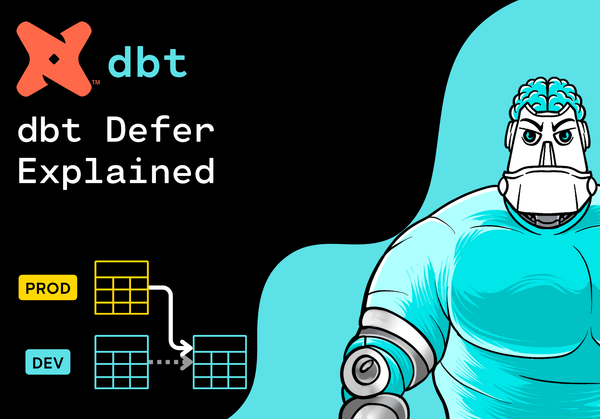
Learn how dbt --defer works with a practical dim_student example using --state, a production manifest, and upstream model references.
Learn dbt incremental models with a practical enrollment_cleaned example using materialized incremental, unique_key, is_incremental(), updated_at, and data tests.
Learn how to build business-ready fact and dimension tables in dbt using a simple Gold layer example with dim_course, dim_student, and fact_enrollment.
Learn why Codex can make Data Engineers more productive by helping with dbt YAML, column descriptions, SQL reviews, debugging, boilerplate, and project conventions.
Learn how LangChain vector stores keep embeddings searchable for RAG, semantic search, document retrieval, and beginner-friendly AI applications.
Learn how LangChain embeddings turn text into vectors for RAG, semantic search, document retrieval, clustering, and similarity workflows.
Learn how to use Codex to create a dbt Gold model from existing Silver models with clear prompts, dbt ref(), YAML tests, and a practical review workflow.
Learn how to use Codex in Visual Studio Code, connect it to a local project, add AGENTS.md instructions, and start your first coding task.
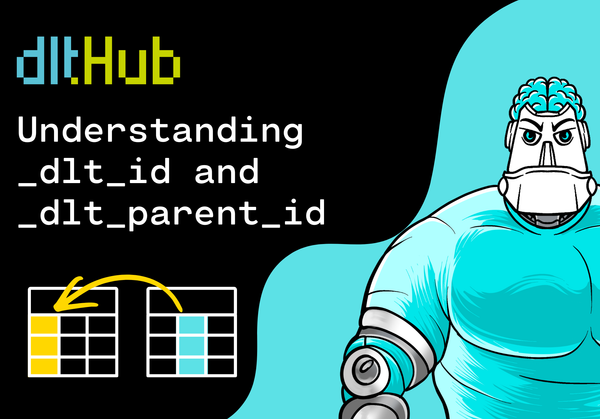
Learn what _dlt_id and _dlt_parent_id mean in dlt, why they appear in normalized tables, and how to use them in SQL joins.
Learn how LangChain text splitters break long documents into useful chunks for RAG, semantic search, summarization, and retrieval workflows.
Learn the difference between Codex and ChatGPT for coding, when to use each tool, and how beginners can combine them in a practical workflow.
Learn how dlt normalizes nested JSON into parent and child tables in DuckDB using a simple students and courses example.
Learn how to build a simple LangChain LCEL chain with Python using ChatPromptTemplate, ChatOpenAI, and StrOutputParser in a beginner-friendly tutorial.
Learn what makes a good AGENTS.md file for Codex, including project context, workflow rules, safety guidance, and a practical template.
Build a simple Streamlit task tracker that reads from DuckDB, writes new rows, updates task status, and validates the result with SQL.
Learn what AGENTS.md is in Codex, why project instructions matter, and how to use them to guide safer AI coding workflows.
Learn when to use replace, append, or merge in a dlt pipeline with practical DuckDB examples and beginner-friendly explanations.
Build a beginner-friendly RAG chatbot with LangChain, Python, FAISS, and OpenAI by loading local text, creating embeddings, retrieving context, and answering questions from your own data.

Learn how to connect the Codex App to Jira with MCP using Atlassian's official Rovo MCP Server and the local mcp-remote proxy.

Learn how to add a local Git repository to the Codex App, choose the right project folder, run your first task, and review changes safely.

Learn how to use OpenAI Codex for coding tasks such as fixing bugs, writing tests, understanding code, and reviewing changes safely.
Learn what OpenAI Codex is, how it differs from ChatGPT, and how this AI coding agent helps with real software development workflows.
Learn common AI terms in simple language, including prompts, LLMs, tokens, embeddings, RAG, agents, MCP, hallucinations, and fine-tuning.
Learn how to connect Claude Desktop to a local dbt project with the official dbt MCP server and safe dbt CLI access.
Learn how LangChain document loaders turn text files, PDFs, and web pages into Document objects for RAG, summarization, and search workflows.
Learn how LangChain memory and chat history help AI apps keep context across messages, answer follow-up questions, and support more natural conversations.
Learn how LangChain output parsers help turn LLM responses into structured JSON that your Python applications can validate, reuse, and process.
Learn how to connect Claude Desktop to GitHub using GitHub's official MCP server, Docker, and a secure Personal Access Token setup.
Learn how LangChain prompt templates work and build reusable AI prompts with Python, ChatPromptTemplate, variables, and a chat model.
Learn how to connect Claude Desktop to an existing local Excel file by configuring a ready-made Excel MCP server.
Learn how to load a local JSON file into DuckDB with dlt, inspect the result with SQL, and understand a simple data pipeline pattern.
Learn PySpark Structured Streaming step by step by building a beginner-friendly real-time data pipeline with JSON files, readStream, writeStream, output modes, triggers, and checkpoints.
Learn the difference between AI agents and chatbots, when to use each one, and why agents can plan, use tools, and take action.
Compare FastAPI and Flask for serving AI agents, ML APIs, LLM backends, and production-ready Python services.
Learn how to install Claude Desktop on Windows, launch it from the Start menu, sign in, and avoid unsafe unofficial downloads.
Learn how to load a local CSV file into DuckDB with dlt, inspect the result with SQL, and understand the basic pipeline pattern.
Learn what dbt snapshots are, why they matter, and how to track historical changes in your data warehouse with a beginner-friendly customer status example.
Learn what dbt exposures are, why they matter, and how to connect dbt models to dashboards, reports, notebooks, and machine learning workflows.
📘 Introduction In this hands-on tutorial, you will learn how to load data from a REST API into DuckDB using dlt. This is a great first local data pipeline because you do not need a cloud warehouse, a complex setup, or production credentials. We will use dlt to fetch data...
📘 Introduction When you start learning modern data pipelines, you will quickly hear about both dlt and dbt. The names look similar, and both tools are used in data engineering workflows. But they solve different problems. In this beginner-friendly guide, we will explain the difference between dlt and dbt, where...
📘 Introduction dbt Fusion is one of the biggest changes in the dbt ecosystem. If you already know dbt Core, you can think of Fusion as a new engine underneath the familiar dbt workflow. You still write models, define dependencies, configure YAML files, define tests, and build transformation logic in SQL....
📘 Introduction When you start learning dbt, you will quickly come across many new terms: models, materializations, seeds, snapshots, tests, macros, DAGs, packages, profiles, and targets. At first, these concepts can feel confusing, especially if you are new to analytics engineering or modern data pipelines. In this beginner-friendly guide, we’...
📘 Introduction Generating images with AI has never been easier. Hugging Face’s Diffusers library provides a user-friendly way to create stunning visuals using pre-trained diffusion models like Stable Diffusion. In this guide, we’ll walk through the entire process step by step. 🧠 What are Hugging Face Diffusers? Diffusers...
📘 Introduction Automation has become a central pillar of modern digital operations, but most tools either limit flexibility or lock you into rigid, predefined steps. n8n stands out because it bridges the gap between low-code usability and deep technical power. It brings together visual workflow building, full control over data,...
📘 Introduction When working with data spread across multiple CSV files, combining them into one unified dataset can save time and simplify your workflow. In this guide, you’ll learn how to merge multiple CSV files into a single Pandas DataFrame using just a few lines of Python. ✅ Prerequisites Before you...
📘 Introduction Working with structured data is a core part of any data engineering or analytics workflow. DuckDB, often called the SQLite for analytics, makes it incredibly easy to query local data files—including JSON—without requiring a complex setup. In this tutorial, you’ll learn how to load JSON data...
📘 Introduction n8n is a flexible and powerful automation platform that helps you connect apps, orchestrate workflows, and even build AI-driven processes — all without writing code. Installing n8n locally with npm gives you a lightweight, customizable setup that runs directly on your system, making it perfect for development, debugging, and...
📘 Introduction JSON is one of the most widely used data formats for APIs, configurations, storage, and modern applications. Converting CSV to JSON in Python is incredibly simple using Pandas. In this tutorial, we will walk through the full process: creating a sample CSV file, loading it into a Pandas DataFrame,...
📘 Introduction In this tutorial, you’ll learn how to load data from a Parquet file into a DuckDB database using Python. DuckDB’s native Parquet support makes it fast and efficient to work with columnar data, making it ideal for analytics, ETL pipelines, and Python data projects. You’ll see...
📘 Introduction In modern data workflows, Parquet is a popular columnar storage format for efficient data storage and faster analytics. Converting CSV to Parquet in Python is straightforward using Pandas and PyArrow. In this tutorial, we will walk you through the complete process: from creating a sample CSV file, reading it...
📘 Introduction n8n is a powerful automation platform that gives you the freedom to build workflows, integrate apps, and create AI-powered automations without writing any code. Running n8n locally with Docker Desktop provides a fast, clean, and reliable setup that isolates your environment while keeping your system clutter-free. With...
📘 Introduction In this tutorial, you will learn how to insert data from a CSV file into a DuckDB database using Python. DuckDB is a powerful in-process analytical database that makes working with structured data fast, simple, and efficient—perfect for data projects, notebooks, and local analytics. ✅ Prerequisites Before you...
📘 Introduction n8n is a powerful workflow automation platform that lets you connect apps, automate processes, and even build AI agents — all without writing a single line of code. Running n8n locally using Docker Compose gives you a clean, reliable, and easily reproducible environment that’s perfect for development, experimentation, and...
📘 Introduction Choosing the right framework can dramatically shape the experience of building and deploying generative AI applications. Streamlit and Gradio are two of the most popular tools for rapidly creating AI demos, prototypes, and interactive interfaces — but they shine in different scenarios. In this guide, we’ll break down when...
📘 Introduction DuckDB has quickly become a favorite tool among data engineers and analysts because of its speed, simplicity, and ability to run analytical SQL queries directly within Python. Whether you’re prototyping data pipelines, running local analytics, or managing lightweight data storage, knowing how to insert data into DuckDB is...
📘 Introduction Renaming columns is one of the most common transformations you’ll perform when cleaning or standardizing data in PySpark. Whether you’re aligning tables from different systems, preparing data for machine learning, or simply making column names more readable, updating many column names at once can quickly become tedious...
📘 Introduction One of DuckDB’s most useful features is the ability to query CSV files directly—no need to load them into a database first. This tutorial will guide you through running SQL queries on a CSV file using Python. ✅ Prerequisites Before you begin, make sure you have: 🐍☑️ Installed Python...
📘 Introduction If you enjoy working with pandas but wish you could use clean, powerful SQL at any time, then DuckDB is the right tool for you. With DuckDB, you can query your DataFrames instantly without having to set up a database, run a server, or change your workflow. ✅ Prerequisites Before...
📘Introduction In this blog post, we’ll walk through how to install DuckDB, a fast and lightweight analytical database engine designed for modern data workflows. Whether you're working on data analysis, ETL pipelines, or experimenting with in-process SQL queries, DuckDB is incredibly easy to set up and...
📘 Introduction In many real-world datasets, the same type of information can appear in more than one column. A customer may provide an email address, a phone number, or a backup contact, and different systems may populate different fields. When you want to select the first available non-null value...
📘Introduction In this blog post, we’ll explore DuckDB—a lightweight analytics engine that’s transforming the way data professionals and enthusiasts analyze data locally. You’ll learn what it is, why it’s gaining popularity, and how it can make your data workflows faster and simpler. By the end,...
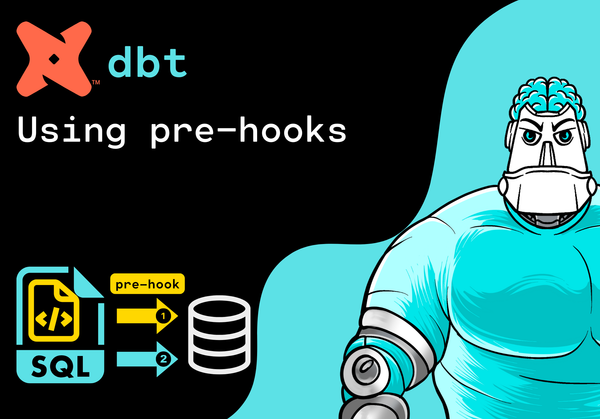
📘Introduction In this hands-on dbt tutorial, you'll learn how to use pre-hooks to automate tasks such as creating backup tables before a model runs. Pre-hooks allow you to execute SQL before your dbt model builds, which is useful for auditing, data quality checks, or preparing...
📘 Introduction Modern systems produce endless streams of real-time data — from app events and online purchases to sensor readings and transactions. To handle this flow efficiently, applications need a fast, reliable way to move data between services as it happens. That’s where Apache Kafka comes in. Kafka is a...
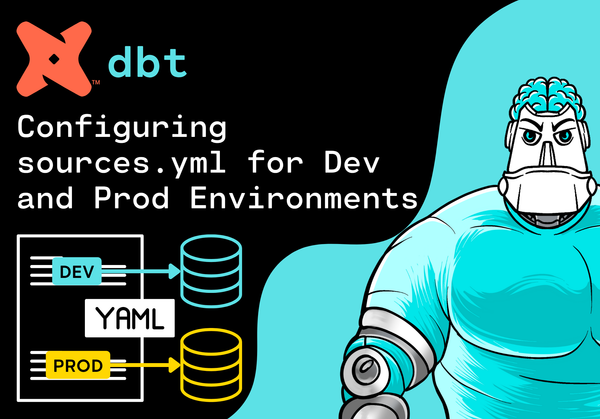
📘Introduction In this hands-on dbt tutorial, you’ll learn how to configure your sources.yml file to handle multiple environments (DEV and PROD) dynamically using dbt’s powerful target variable. This will ensure that your models always connect to the correct database, based on the environment you are currently...
📘 Introduction Modern applications generate massive amounts of data — clicks, payments, sensor readings, and more — all happening in real time. To handle this flow efficiently, systems need a reliable way to move data between components instantly. That’s where Apache Kafka comes in. Kafka is a distributed data streaming platform built...
📘 Introduction Real-time data ingestion is a critical part of modern data architectures. Organizations need to process and store continuous streams of information for analytics, monitoring, and machine learning. Databricks, with the combined power of PySpark and Delta Lake, provides an efficient way to build end-to-end streaming pipelines...
📘Introduction When working with dbt (data build tool), YAML files are the backbone of your project’s configuration. They define how dbt behaves, how your models connect to data sources, and how metadata, documentation, and tests are managed. Understanding these YAML files and knowing where they are located within your...
📘 Introduction When processing massive datasets in PySpark, it’s often necessary to uniquely identify rows or efficiently detect changes across records. Using multiple columns as a composite key can quickly become cumbersome and inefficient — especially during joins or deduplication. A better solution is to generate a single hash value derived...
📘Introduction In this hands-on dbt tutorial, you’ll learn how to switch between development (DEV) and production (PROD) environments using target variables in dbt. You’ll see how to dynamically control where your models are built, and easily run commands against different data warehouses — all without changing a single...
📘Introduction In this hands-on dbt tutorial, you’ll learn how to configure separate development (DEV) and production (PROD) environments to safely build, test, and deploy your data models. We’ll walk through why environment separation matters and how to configure your profiles.yml so you can switch between environments...
📘 Introduction If you’re working with modern data stacks and want to transform raw data into clean, analytics-ready tables, then you’ve likely heard of dbt (Data Build Tool). dbt has quickly become the go-to framework for data transformation, modeling, and testing, empowering data teams to treat analytics...
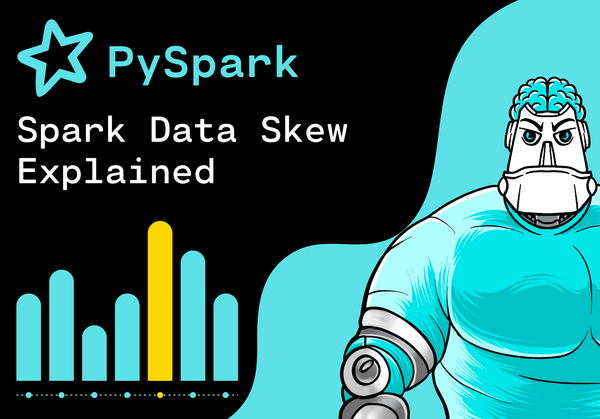
📘 Introduction When running Spark jobs, you expect every task to share the workload evenly — but that’s not always the case. Sometimes, a few tasks take far longer than the rest, keeping the entire stage waiting. This imbalance, known as data skew, is one of the most common causes of...
📘 Introduction Every Spark application tells a story — a story of how your code travels from a high-level command in Python or Scala to a fully distributed computation running across dozens or even hundreds of executors. Behind the scenes, Spark organizes this work into jobs, stages, and tasks — the building...
📘Introduction In this dbt tutorial, you’ll learn how to supercharge your dbt models with Jinja, the templating language that brings flexibility, automation, and scalability to your SQL transformations. Understanding Jinja in dbt will unlock a whole new level of productivity — letting you write dynamic, reusable, and DRY (Don’t...
📘Introduction In this hands-on dbt tutorial, you’ll learn how to make your aggregations dynamic and flexible using Jinja loops inside your SQL models. Instead of writing multiple aggregation functions, you’ll see how to dynamically generate aggregation logic — saving time and reducing repetitive SQL code. 🎓 Preparing for dbt...
📘 Introduction In Apache Spark, performance often hinges on one crucial process — shuffle. Whenever Spark needs to reorganize data across the cluster (for example, during a groupBy, join, or repartition), it triggers a shuffle: a costly exchange of data between executors. Shuffle is what makes distributed computation possible — but it’s...
📘Introduction In this hands-on dbt tutorial, you’ll learn how to make your SQL transformations dynamic and reusable by using Jinja loops inside CASE statements. This approach helps you replace repetitive SQL logic with concise, maintainable code — a valuable skill for any Data Engineer. 🎓 Preparing for dbt Analytics Engineering...
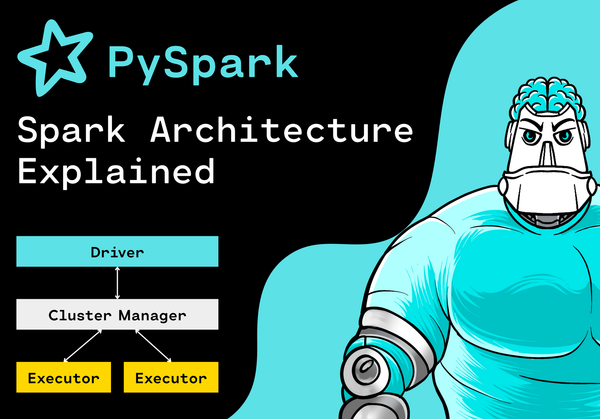
📘 Introduction Apache Spark is a distributed data processing framework designed for speed and scalability. When you run a Spark job, it doesn’t just run on your laptop — it coordinates multiple machines working together to process massive datasets in parallel. To understand how Spark does this so efficiently, you need...
📘Introduction In this hands-on dbt tutorial, you'll learn how to use Jinja for loops inside your dbt models to make your SQL code more dynamic and automated. Instead of manually repeating similar SQL logic for multiple columns, tables, or conditions — you can use for loops with Jinja...
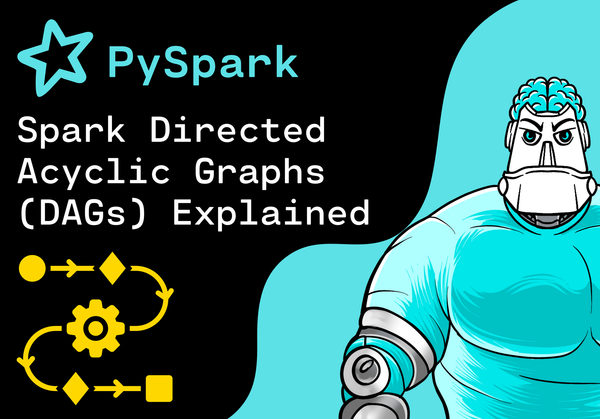
📘 Introduction When you run a PySpark job, Spark doesn’t immediately execute each transformation. Instead, it constructs something called a DAG (Directed Acyclic Graph) — a roadmap of all the operations that need to happen. This DAG is the heart of Spark’s execution engine. It tells Spark how your data...
📘 Introduction In this hands-on dbt tutorial, you'll learn how to overwrite project variables at runtime — a powerful feature that lets you dynamically change your dbt model behavior without modifying your code or dbt_project.yml. This is especially useful when you need to run the same transformation...
📘 Introduction When working with large datasets in PySpark, joins can easily become performance bottlenecks. This happens because Spark needs to shuffle data across the cluster to match rows between DataFrames — a costly operation when both datasets are big. If one of your DataFrames is small, though, there’s a faster...
📘Introduction In this tutorial, you'll learn how GraphQL and REST differ and why developers choose one over the other. Whether you’re building modern web apps or managing large datasets, understanding these differences is essential for efficient, scalable applications. 🟣 GraphQL GraphQL (Graph Query Language) is a query language...
📘 Introduction In this hands-on dbt tutorial, you'll learn how to use project variables to make your SQL models more dynamic, flexible, and reusable. Instead of hardcoding values directly into your SQL logic, dbt allows you to define variables in your dbt_project.yml file. These variables can...
📘 Introduction Choosing the right framework can make or break your web app. Streamlit and React are two powerful but very different tools. Streamlit is perfect for quickly building interactive data apps in Python, while React offers unmatched flexibility for large-scale, production-ready web applications. But which one is right...